 EN
EN



Bee Eye Moving Lights: Effects and Use Cases for Stages
A moving light is more useful when its visual role is clear before it reaches the truss. In stage work, that is especially true of a Bee Eye fixture: its multi-lens face can turn a single beam source into a field of moving points, tight aerial lines, broad color texture, or a rotating visual feature. This article explains how Bee Eye moving lights fit into the wider beam 230 conversation and how to judge their place in a show.
From a lighting programmer’s point of view, the right question is not simply whether a fixture produces a bright beam. It is whether the fixture can support the cue structure, trim height, ambient-light conditions, and audience sightlines of the event. A published specification is a starting point; the actual visual result still depends on the venue and setup.
What Makes a Bee Eye Moving Light Visually Different?
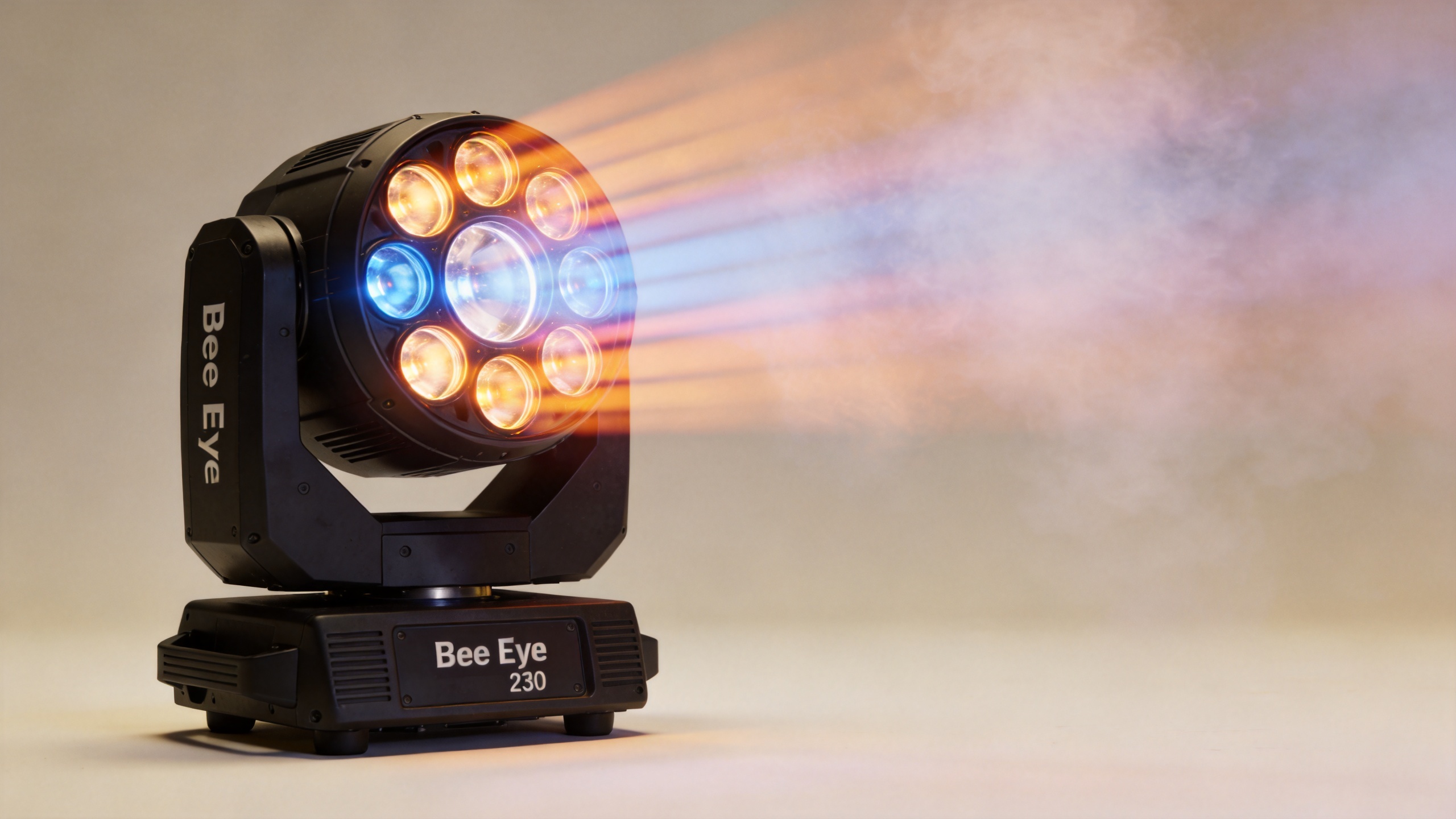
A Bee Eye moving light is recognized by an array of individual lenses rather than one conventional front lens. When the lenses are treated as a unified surface, they can create a strong central beam or a textured wash-like field. When they are controlled or programmed as visual segments, the fixture can add motion, color variation, and patterned depth to a stage picture.
This changes the way a beam 230-style effect is used. A narrow beam fixture is often selected for crisp aerial shafts and long throws. A Bee Eye design can retain the energy of an aerial effect while adding a larger visual footprint, particularly when a show benefits from multiple points of light moving together. That does not mean every Bee Eye fixture is a substitute for every beam unit: optical design, source, zoom range, lens control, and the venue all affect the result.
Onstage, the multi-lens face can serve three practical visual jobs:
- Aerial texture: several visible points make a beam field look fuller in haze or atmospheric effects.
- Dynamic eye-candy: rotation, tilt movement, and lens patterns can add energy between major performance moments.
- Stage architecture: a group of fixtures can outline a scenic frame, a runway, or a back-wall composition without relying on a static scenic element.
Beam Effects Depend on More Than the Fixture
Search results for beam 230 commonly describe 230W/7R moving beam products with narrow optics, often around a few degrees. That range helps explain why this category is associated with concentrated aerial lines. It should not be read as a specification for every product, however. Before a project is quoted or programmed, check the current data sheet for the exact model.
The visible strength of an aerial effect is a combined question of distance, ambient light, beam angle, fixture position, and atmospheric conditions. In a bright room, a beam may appear less defined even when the fixture is functioning correctly. Conversely, a close, dark venue can make a tighter effect feel more intense than its raw specifications might suggest. A photo alone cannot reliably predict the result in a different venue.
Control matters as well. Many products in the moving-beam category are marketed with DMX512 and other operating modes, but installers should confirm the actual control protocol, channel mode, addressing plan, and console compatibility for the fixture being purchased. A compelling look is only useful if it can be repeated cleanly in cues.
Where Bee Eye Effects Work Well
Bee Eye moving lights can work across many entertainment environments, but the design objective changes with the show. For concerts and touring-style stages, they can create a moving ceiling of points above performers or reinforce a chorus hit with a rapid fan or chase. For club and DJ environments, the same multi-lens movement can turn a compact rig into a more animated visual surface. For weddings and event stages, slower movement and restrained color changes may complement entrances, speeches, and dance-floor transitions without overwhelming the room.
They are also worth considering for rental inventories when projects regularly move between stage shows, bars, weddings, and temporary events. The important trade-off is that versatility should be verified through practical details: mounting options, transport protection, power distribution, access for maintenance, and how quickly programmers can build repeatable looks.
How to Build a Bee Eye Look Into a Stage Design
Start with the effect target rather than the fixture name. Do you need long, crisp shafts above a wide audience area, a wide field of animated points behind an artist, or a color texture that supports the scenic palette? That answer guides where a Bee Eye unit belongs in the rig.
- Map the viewing angles. Identify the audience zones, camera positions, performer paths, and places where direct glare could become distracting.
- Set the visual role. Decide whether the Bee Eye group is a headline effect, a backlight texture, or an accent alongside other moving lights.
- Test spacing and height. The same fixture can read differently at different trim heights. Allow room for beams to open, cross, and remain visible without creating clutter.
- Program in layers. Pair large pan/tilt movement with simpler lens or color changes first; then add faster detail only where the music or show call benefits from it.
- Verify the control plan. Confirm DMX universe capacity, addressing, fixture mode, and cue timing before the event day.
It helps to separate the core effect from the optional effect. If the project needs fast setup, reliable control compatibility may deserve more attention than an extra visual pattern. That is not a limitation of Bee Eye fixtures; it is a way to keep the lighting design workable under real show conditions.
Choosing Between a Dedicated Beam and a Bee Eye Fixture
A dedicated beam fixture can be the clearer choice where the brief prioritizes narrow, long-range aerial lines. A Bee Eye fixture can be a stronger fit where the design also needs a wider visual surface, multi-point movement, and a distinct front-face look. Many rigs use both categories because they perform different jobs.
| Design priority | Questions to ask | Likely direction |
|---|---|---|
| Long, sharp aerial lines | What is the throw distance? Is the venue dark enough for visible shafts? How narrow must the beam be? | Compare a dedicated beam 230 class fixture first. |
| Animated multi-point visuals | Will lens patterns, rotation, and color texture support the music or scenic concept? | Evaluate a Bee Eye moving light as a visual feature. |
| Flexible rental deployment | Can the unit be mounted, transported, maintained, and programmed efficiently across different jobs? | Check the whole operating workflow, not only the optical effect. |
A Product Option to Review for Outdoor-Oriented Rigs
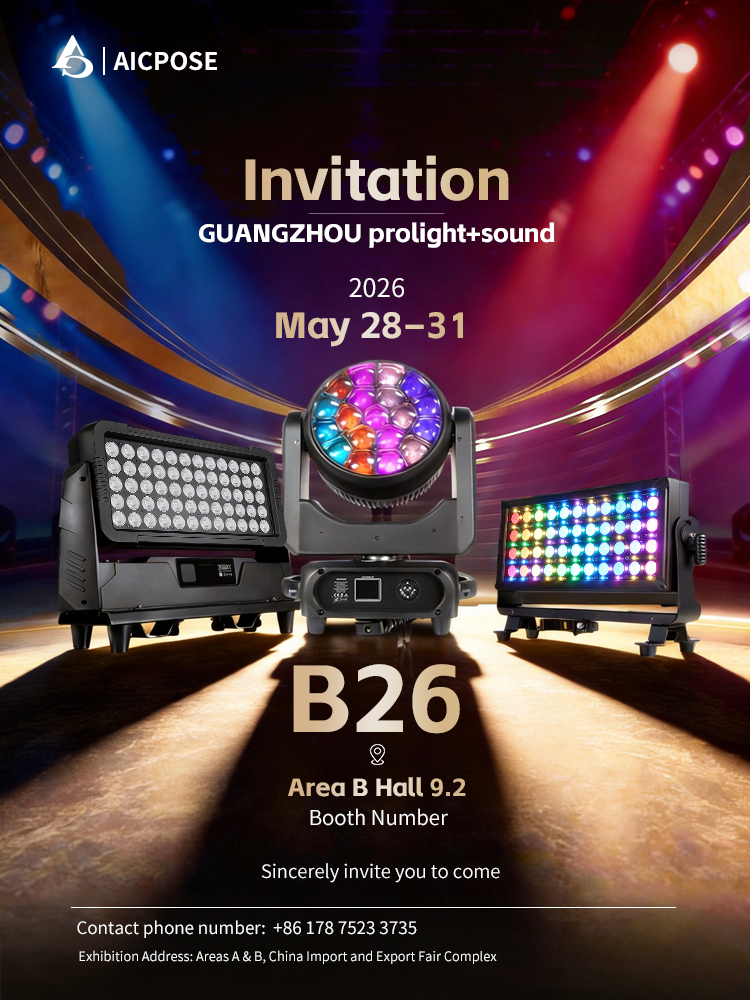
For projects that need a Bee Eye moving-light option in the discussion, review the available details for the IP65 1940W Bee-Eye Moving Light. The product page is the appropriate place to verify the current configuration, environmental suitability, documentation, and project-specific compatibility before making a technical decision.
As with any stage-lighting selection, do not treat the product name or a single visual image as proof of a complete solution. Confirm the intended show effect, installation requirements, control workflow, and current product specifications together.
Beam 230 Pre-Show Worksheet
Use these prompts during an early lighting call. They do not replace a site survey, but they make a beam 230 discussion specific and help determine whether a Bee Eye unit, a dedicated beam, or a combined approach fits the brief.
- beam 230 throw: What is the longest sightline for the beam 230 effect?
- beam 230 angle: Which beam 230 beam width fits the intended aerial pattern?
- beam 230 height: Does the planned beam 230 trim height leave room for movement?
- beam 230 atmosphere: Will the beam 230 look be tested with the intended haze conditions?
- beam 230 contrast: How will ambient light affect beam 230 visual contrast?
- beam 230 positions: Where can beam 230 fixtures avoid audience glare and camera flare?
- beam 230 control: Is the beam 230 channel mode compatible with the console workflow?
- beam 230 cues: Which moments need a fast beam 230 change rather than a static look?
- beam 230 layers: Will the beam 230 effect sit behind performers or frame the stage?
- beam 230 inventory: For rental work, can the beam 230 fixture travel and reset efficiently?
- beam 230 power: Has the beam 230 power plan been checked with the rest of the rig?
- beam 230 rehearsal: Is there time to compare the beam 230 effect with the Bee Eye look?
- beam 230 final test: Test the beam 230 look from audience positions before doors open.
Final Checklist for a More Convincing Stage Effect
Bee Eye moving lights are most effective when they are assigned a clear task in the visual system. Before finalizing the rig, list the stage size, trim height, throw distance, ambient-light level, atmospheric-effect plan, control equipment, power distribution, mounting constraints, and maintenance access. Then test a representative cue sequence where possible.
A beam 230 effect can be dramatic, but it is not a promise that every venue will look the same. When designers connect the beam, lens behavior, placement, and programming to the actual event, a Bee Eye fixture can become more than a bright moving object—it can become a deliberate part of the audience experience.