 EN
EN



CMY CTO Moving Lights: What Color Features Should Buyers Compare?
For rental houses, distributors, clubs, and production teams, a beam bsw fixture is rarely selected for its beam alone. Color behavior determines whether the fixture can move from a sharp aerial look to a camera-friendly key light or a coherent wash without breaking the visual language of a show. When comparing a CMY CTO moving light, buyers should test the color system as a working tool—not only count the words “CMY,” “CTO,” and “color wheel” in a specification sheet.
The practical question is how a beam bsw unit produces, repeats, and transitions color in beam, spot, and wash modes. A useful comparison looks at mixing range, CTO behavior, saturated color options, white handling, consistency, and console control. That approach is useful when evaluating multi-function moving lights for touring, venue, wedding, club, and event-rental applications.
Start with CMY Mixing Range, Smoothness, and Repeatability
CMY mixing uses cyan, magenta, and yellow filters to shape color from a white source. For a beam bsw buyer, the important point is not just whether the fixture has three CMY flags. Ask what happens when you create pale tints, deep theatrical colors, and low-saturation pastels. These are the looks that reveal uneven fades, unexpected color shifts, or visible steps between values.
Request a live demonstration with slow fades between complementary colors and with each CMY channel moving independently. Watch the output at both the center and edge of the beam, then repeat the test in spot and wash modes. A good CMY system should support usable intermediate colors rather than only a small set of impressive saturated looks. For a beam bsw evaluation, save these values as a repeatable console palette and compare them on at least two fixtures. In a beam bsw fixture, that flexibility helps lighting programmers keep palettes consistent while changing the optical mode.
- Compare the usable pastel range, not only saturated colors.
- Check whether fades look continuous at slow console fade times.
- Test the same CMY value in beam, spot, and wash modes.
- Ask for multiple fixtures to be compared side by side for visual consistency.
Evaluate CTO as a White-Point Tool, Not Just an Amber Effect
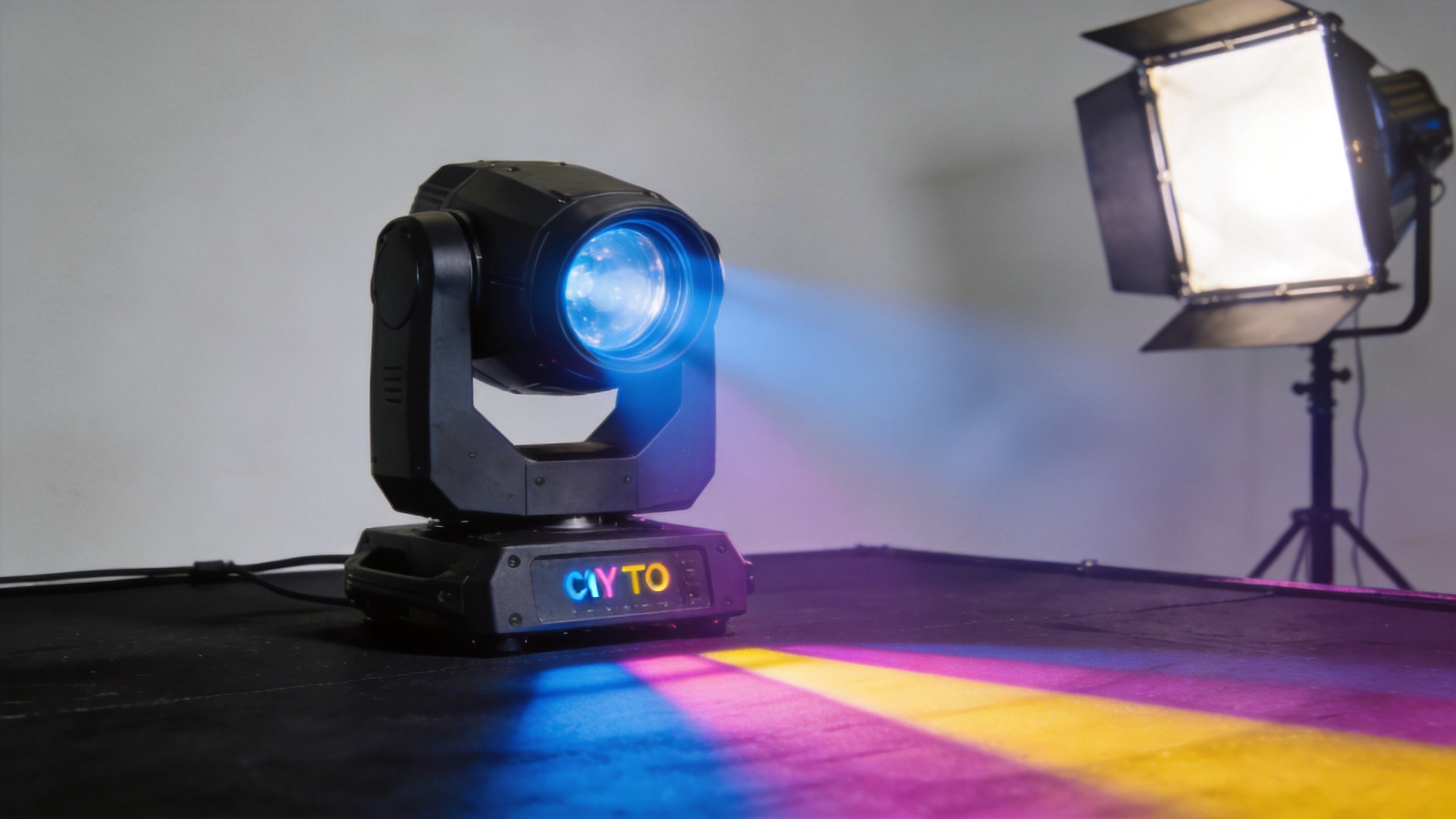
CTO is often described as a warming feature, but buyers should assess it as a white-point control. In real productions, a beam bsw moving light may need to blend with tungsten-inspired scenic lighting, warmer practical fixtures, or other luminaires with a different native white appearance. Progressive CTO can make the transition more controlled than relying on a fixed amber color alone.
During a demo, compare the fixture’s open-white output with several CTO positions. Look for a natural progression from the native white toward a warmer white, rather than an abrupt jump or a muddy amber cast. Then add modest CMY values over the CTO setting. This reveals whether the color system remains usable when the fixture is being matched to a warmer stage environment. A beam bsw buyer should also review the result through haze and on a camera monitor, because white balance decisions can change across show conditions.
For cross-rental or multi-brand rigs, ask the supplier how operators normally document a repeatable white-match preset. The answer need not be a universal Kelvin claim; what matters is whether programmers can recall a stable visual result across fixtures and shows.
Compare Color Wheels and Fixed Colors for Speed and Impact
CMY mixing and a color wheel serve different purposes. CMY gives a beam bsw fixture a broad palette and gradual transitions. Fixed-color positions can deliver fast, repeatable snaps for chases, music cues, and high-impact aerial effects. Buyers should compare both systems, because a fixture that mixes attractive colors but lacks useful fixed options may feel less direct in fast cueing situations. In a beam bsw comparison, document the snap time and whether a color wheel position lands consistently during repeated chase cues.
Check the number and relevance of the fixed colors, the quality of split-color positions if provided, and the speed of color changes. Watch for mechanical noise, bounce, or inaccurate stopping when the color wheel is used repeatedly. If the event profile includes clubs or live music, run color snaps while the pan, tilt, prism, and shutter are active; color performance should remain dependable under an effect-heavy cue.
Test Color Through Every BSW Optical Mode
A hybrid fixture should not be judged only with a narrow beam projected into haze. In beam mode, color needs punch and a clean central appearance. In spot mode, buyers should inspect whether color stays even across the projected field, particularly when gobos and framing-like looks are used. In wash mode, broad color transitions and pastel quality become more visible, so uneven mixing is easier to spot. This is why a beam bsw demo should be viewed from audience distance as well as directly beneath the fixture.
| Mode | Color test to run | What buyers should observe |
|---|---|---|
| Beam | Deep CMY colors and fast fixed-color snaps | Intensity, color punch, clean center, and reliable snapping |
| Spot | Pastels, gobo projection, and gradual fades | Field uniformity and stable color appearance in projected images |
| Wash | Light tints, CTO blends, and palette transitions | Even coverage, smooth fades, and useful low-saturation colors |
This cross-mode check reflects how professional buyers actually deploy a beam bsw fixture. Search results for this category often emphasize the combined beam, spot, and wash concept; a useful procurement comparison goes one step further by checking whether color quality travels with those functions.
Review Control Resolution, Calibration, and Show-File Practicality
Color capability is also a control question. Ask for the DMX chart and identify how CMY, CTO, color-wheel functions, and color macros are mapped. Fine control can matter when a programmer needs small adjustments during a quiet theatrical fade or when matching a fixture to an existing palette. Equally important, the channels should be understandable enough for rental technicians to prepare a show file quickly. For a beam bsw product intended for rental turnover, clear channel logic can be as valuable as a large macro list.
Ask the supplier to demonstrate reset behavior, homing repeatability, and how the fixture responds after power cycling. If a color position is recalled differently after a reset, that can create unnecessary work for an event crew. For distributors and rental buyers, it is sensible to request a multi-unit test: load identical values to several fixtures and compare their open white, CTO point, and one or two commonly used CMY colors.
Use a Practical Buyer Checklist Before Comparing Price
- Run slow CMY fades and inspect pale, mid-saturation, and deep colors.
- Compare open white and progressive CTO settings against the intended rig.
- Test fixed colors, split colors, and snap timing for cue-heavy shows.
- Repeat key colors in beam, spot, and wash modes.
- Review DMX mapping, fine control, reset behavior, and multi-unit consistency.
- Record the tested values in a short acceptance checklist before placing a larger order.
Buyers looking for a real product example can review the AICPOSE 500W CMY CTO BSW 3in1 Moving light alongside their own application requirements. The product page can support a supplier discussion, while the final selection should still be based on a live comparison of color operation, optical mode behavior, and project workflow.
Create a Repeatable Beam BSW Color Acceptance Test
Before approving a sample or a production order, build a short beam bsw color test rather than relying on showroom impressions. Start with open white, then record three CTO positions that match the intended rig. Add a pale blue, pale pink, deep red, deep cyan, and a mixed amber-green. These choices are not universal presets; they are practical references that show whether the beam bsw color engine behaves evenly throughout the usable palette.
Next, run each test color in beam, spot, and wash. A beam bsw unit may look convincing in a narrow aerial beam while revealing variation when zoomed into a broad wash. Check the color at the center, edge, and overlap zone of adjacent fixtures. If the project involves video, view the beam bsw output through the actual camera or a comparable monitor setup, because apparent white and saturated colors can shift with exposure and white balance.
For a rental fleet, repeat the same beam bsw test on fixtures from the same shipment. Label the console values used for open white, CTO, and the key CMY colors. This creates a practical reference for prep crews and makes future beam bsw deliveries easier to inspect. It also gives purchasing teams a shared language when discussing tolerances with a supplier.
Finally, include operator feedback in the acceptance record. Ask programmers whether the beam bsw channels are intuitive, whether fades look smooth at the console, and whether color macros interfere with manual CMY control. A beam bsw fixture that passes these operational checks is more likely to deliver the same visual result after it leaves the demo room.
Conclusion: Compare the Color System as a Workflow
The strongest CMY CTO moving light is not automatically the one with the longest feature list. For a beam bsw purchase, prioritize color systems that produce usable pastels and saturated colors, offer controllable CTO warming, preserve consistency across optical modes, and behave predictably from the console. By testing those conditions before price negotiation, buyers can select beam bsw fixtures that support repeatable looks for the venues and events they serve. Keep the final beam bsw acceptance sheet with the order record so later deliveries can be checked against the same color expectations.